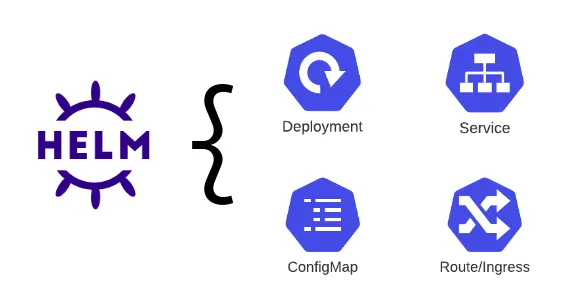
Helm is one of the most powerful tools for packaging, deploying and managing applications on Kubernetes. In this article, we discuss Helm’s basic working logic, why it is important to render charts locally** and how to work with OCI-based charts step by step.
Image taken from Red Hat blog page.
🎯 What is Helm?
Helm is a package manager for Kubernetes. It turns applications into reusable templates, makes versioning easier, and turns Kubernetes manifests into a manageable structure.
For more information: Helm Official Documentation
📦 What is Chart?
Helm Chart is a packaged structure that contains all the components (Deployment, Service, ConfigMap, Secret, etc.) of an application that will run on Kubernetes.
Thanks to a chart:
- Resources are turned into templates,
- Environment-based configuration can be made,
- The application can be easily updated or rolled back.
⚠️ Risks of Implementing Helm Directly to Kubernetes
Applying a chart directly to a Kubernetes cluster is risky, especially in a production environment.
Wrong values → wrong resources → service outage.
Therefore, the best approach is to render the chart locally first** and check what the manifests produce.
An incorrect Ingress, an incorrect Service, an incorrectly defined volume or a closed namespace can cause unexpected results.
🛠 Rendering Helm Chart Locally
You can use the following command to see the manifests before sending helm charts to Kubernetes:
helm template release-name oci://... --output-dir ./output-directory
This command:
- Processes the chart locally,
- Writes the resulting YAML files to the specified folder,
- Provides the opportunity to check before sending to Kubernetes.
⚙️ Use with Parameter and Value Files
You can give values to the Helm template command in two ways.
1) –defining environment variables with set
helm template release-name ./chart-directory --set env=production --output-dir ./output-directory
2) –using values file
helm template release-name ./chart-directory --values ./values.yaml --output-dir ./output-directory
In this way, you can customize your chart in different environments (dev, test, prod).
📄 Transferring Rendered Manifests to a Single File
If you want to get all the output into a single YAML file:
helm template my-release ./my-nginx-chart --namespace my-namespace > a.yaml
You can then apply this file to Kubernetes:
kubectl apply -f a.yaml
This method is also frequently preferred for validation purposes in CI/CD processes.
🔍 Result
Helm is a powerful tool; However, using charts with the send–run approach is often risky. Instead:
- Examine the charts by rendering them locally first,
- Versioning value files,
- Verifying pre-production manifests manually or automatically,
It takes you to a more secure, manageable and predictable Kubernetes infrastructure.
For more details, you can check the official documentation: https://helm.sh/docs/